Best Seller Icon Bestseller

CERTIFICATE COURSE In MS OFFICE WITH ADVANCED EXCEL(M-MOWAE-3764)

  • Last updated Dec, 2025
  • Certified Course
₹10,000 ₹20,000
  • Duration4 Months
  • Enrolled1
  • Lectures120
  • Videos0
  • Notes0
  • CertificateYes

What you'll learn

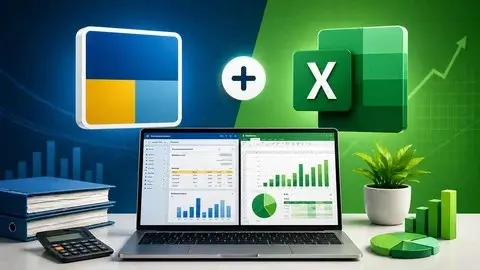
Our MS Office with Advanced Excel Course is designed for students, job seekers, office professionals, and anyone looking to improve productivity and computer skills. This course covers the essential tools of Microsoft Office—Word, Excel, PowerPoint—along with powerful Advanced Excel techniques used in corporate environments.

Show More

Course Syllabus

BASIC COMPUTER

  • Introduction To Computers
  • Notepad
  • Wordpad


MS-OFFICE

  • MS-WORD
  1. Create and Save Document
  2. Text Formatting (Font, Bold, Italic)
  3. Paragraph Alignment
  4. Page Setup (Margins, Orientation)
  5. Insert Table and Picture
  6. Add Page Numbers, Header & Footer
  7. Spell Check
  8. Print and Save as PDF
  9. Basic Keyboard Shortcuts
  • MS-EXCEL
  1. Create, Open, Save Workbook
  2. Entering and Editing Data
  3. Cell Formatting (Font, Color, Border)
  4. Basic Formulas (SUM, AVERAGE, MAX, MIN)
  5. Use Of Autofill
  6. Inserting Rows,Columns, and sheets
  7. Sorting and Filtering Data
  8. Print and Save as PDF
  • MS-POWERPOINT
  1. Create and Save Presentation
  2. Insert New Slides and Layouts
  3. Add and Format Text
  4. Insert Pictures and Shapes
  5. Apply Design Themes
  6. Use Transitions Between Slides
  7. Add Animations to Objects
  8. Slide Show (Start and Navigate)
  9. Save as PDF or Video
  • MS-OUTLOOK
  1. Introduction To Outlook
  2. Composing and Sending Email
  3. Inbox Organization
  4. Email Attachments
  5. Email Signatures
  6. Calender Management
  7. Creating Appointments & Meetings
  8. Contacts Management
  9. Tasks and To-Do List
  10. Search and Filters


ADVANCED EXCEL

  • Marksheet
  • Salarysheet
  • Attendance Sheet
  • EMI Chart
  • Conditional Formatting
  • Charts
  • Flash Fill
  • Subtotal
  • Filtering Data
  • Name Manager
  • Advance Filter
  • Data Validation
  • Vlookup
  • Hlookup
  • Xlookup
  • Pivot Table
  • Pivot Charts
  • Field List
  • Slicer
  • Timeline
  • Report Connection
  • Freeze Panes
  • Macro
  • If Function
  • SumIf Function
  • CountIf Function
  • CountIfs Function
  • Invoice
  • VBA Code
  • ChatGPT In Excel

Course Fees

Course Fees
:
₹20000/-
Discounted Fees
:
₹ 10000/-
Course Duration
:
4 Months

Review

0.0
Course Rating (0 reviews)
0%
0%
0%
0%
0%